We've had a lot of interest in systems for teaching online classes using a Behringer Q802USB mixer lately, so we wanted to provide some resources for selecting cables. We do have special packages that come with all of the cables and gear, but here's a reference guide.
Typical Setup:

Microphone system cables:
Most wireless microphone receivers have 1/4" or XLR outputs. You can connect either a 1/4" or XLR cable into the mixer's microphone input section.
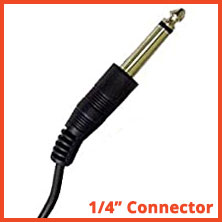
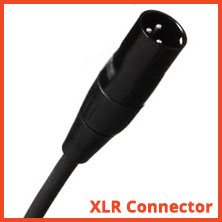
Some examples of mic receivers with different output connectors:
Samson Airline Micro - 3.5mm to TRS 1/4" (Included with the Airline Micro system)
Galaxy Trek - no additional cable needed, just plug the receiver into the 1/4" input on Channel 1
Music player cables:
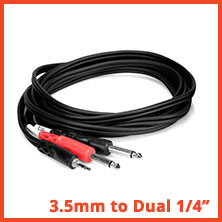
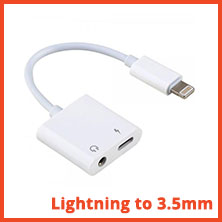
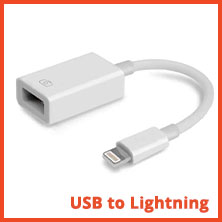
If your music player has a standard 3.5mm headphone output, you'll need a 3.5mm to Dual 1/4" cable. If your device only has a Lightning output and no headphone jack, you'll also need an adapter like this one.
Speaker or sound system cables:
This will be for hearing the music playing live in the room, just for you. If your sound system has a 3.5mm input, you'll need a 1/4" to 3.5mm cable. If your system has RCA inputs, you'll need a 1/4" to RCA cable.
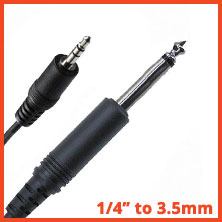
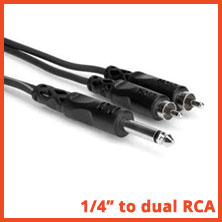
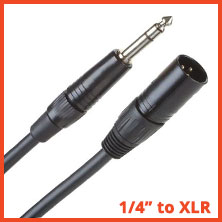
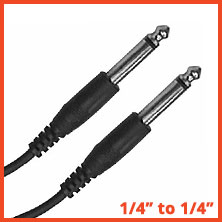
For systems with XLR inputs, use a 1/4" to XLR cable. Finally, if your speaker or sound system has a 1/4" input, a 1/4" to 1/4" cable is your best option.
Connection to computer, phone, tablet, etc:
The mixer comes with a standard USB Type A connector. If you're streaming to a computer that has one of those, you're all set with what comes in the box.
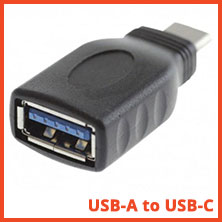
If your computer or device only has USB Type C connectors, you'll need a USB-A to USB-C adapter.
If you're using an iOS device like an iPhone or iPad with a Lightning port, you'll need a USB-A to Lightning adapter.


Comments
Leave a comment